Built your SaaS with Cursor, Lovable or Bolt? AI-generated billing code usually covers the happy path and skips the rest. Run these 8 Stripe checks before real customers pay.
A vibe-coded SaaS is ready to take Stripe payments only when verified webhooks grant access, and the app handles renewals, failed payments, cancellations and plan changes correctly. Most AI-generated billing code covers the happy path (a successful checkout) and quietly skips the rest.
That gap is easy to miss in a demo and painful in production. It shows up as customers who paid but are stuck on the free plan, or customers who cancelled months ago and still have full access. I own end-to-end Stripe billing at Emergi Mentors, an Australian mentorship SaaS, so these are the checks I'd run before letting real customers pay for any product, whoever (or whatever) wrote the code.
Why Is Billing the Riskiest Part of an AI-Built SaaS?
AI coding tools like Cursor, Lovable, Bolt and Replit have changed how fast founders can ship. In March 2025, TechCrunch reported that a quarter of the startups in Y Combinator's Winter 2025 batch had codebases that were about 95% AI-generated. That speed is real, and for most of your product it's fine.
Billing is different, for one simple reason: most of it happens when nobody is watching. A checkout happens while the customer is on your site. A renewal happens a month later at 3 AM. A card fails, a customer cancels from a Stripe-hosted page, a bank flags a payment. Stripe tells your app about all of these through webhooks, and if your app doesn't listen properly, your database slowly drifts away from reality.
Ask an AI tool to "add Stripe subscriptions" and you'll usually get a checkout button and a success page. It works perfectly in the demo. The problems only appear weeks later, with real money, in two forms:
Paying users stuck on the free plan (they paid, your app never found out)
Free riders with paid access (they cancelled or stopped paying, your app never found out)
The first costs you trust and support time. The second costs you revenue every month without you noticing.
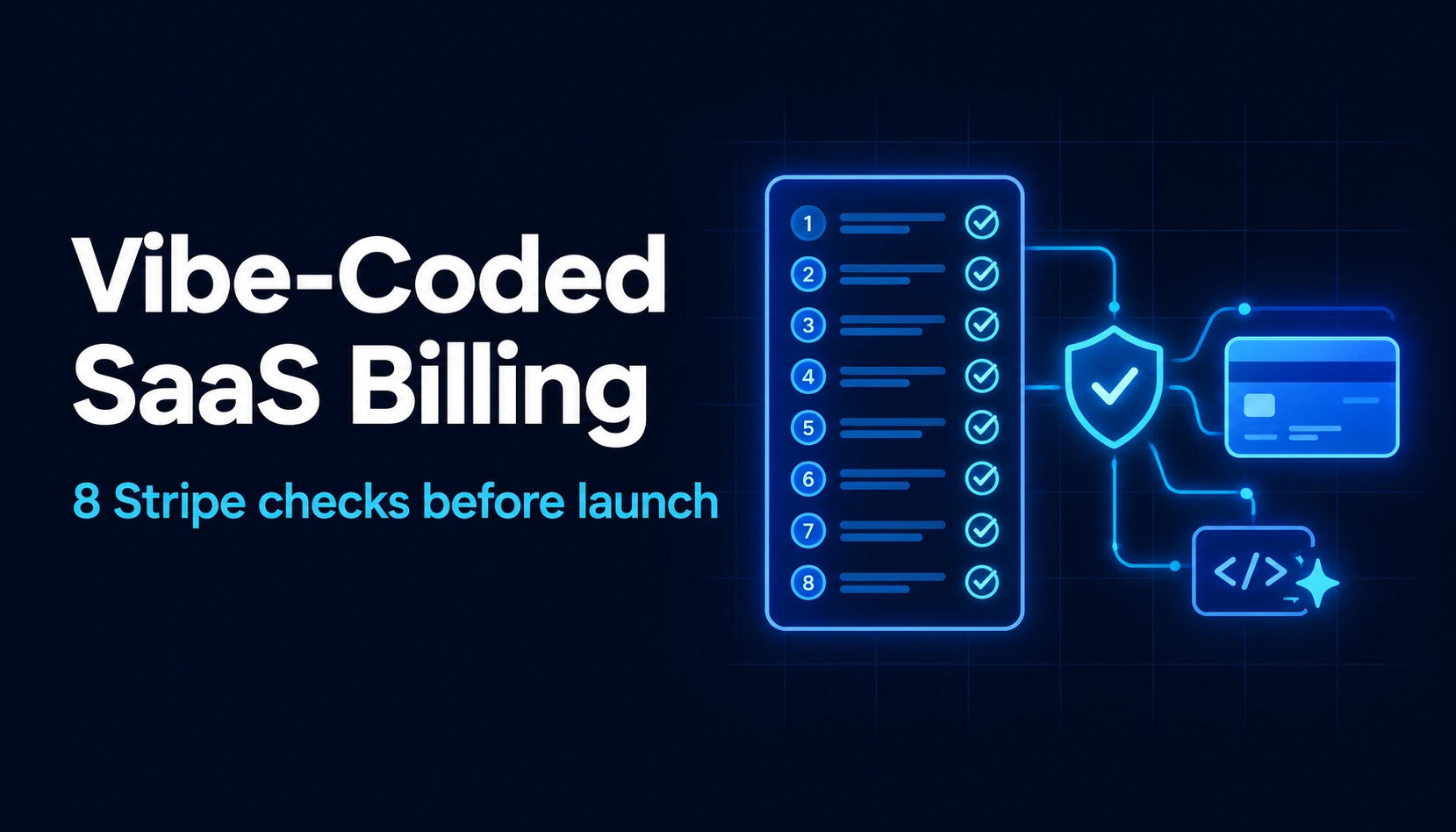
What Are the 8 Stripe Checks to Run Before Launch?
Here's the full checklist at a glance. Each check is explained below.
Check |
| What breaks if you skip it | How to test it |
1. Access is granted by a webhook |
| Paying users stuck on the free plan | Pay, close the tab before the redirect, check access |
2. Webhook signatures are verified |
| Anyone can fake a "paid" event | Send a request with a bad signature, expect it to be rejected |
3. Duplicate and out-of-order events are handled |
| Double credits or the wrong plan | Resend the same event from Stripe and check nothing changes twice |
4. Failed renewals are handled |
| Unpaid users keep access forever | Trigger a failed invoice payment in test mode |
5. Cancellations remove access at the right time |
| Cancelled users keep access | Cancel a test subscription and check access at period end |
6. Upgrades and downgrades update your database |
| Paying for Pro, getting Starter | Change plans in test mode, check your database |
7. Paid features are locked on the server |
| Free users unlock paid features | Call a paid API with a free account |
8. Keys, live secrets and usage limits are production-ready |
| Leaked keys, broken live webhooks, runaway AI costs | Review environment variables, send a live test event |
Is access granted by a webhook, not the success page?
This is the most common bug in AI-built billing. The app unlocks the paid plan when the customer lands on the "thank you" page. Stripe's own documentation warns against exactly this: a customer can pay successfully and then lose their connection, close the tab or have their browser crash before the redirect ever happens. They paid, and your app never knew.
The fix is to grant access when your server receives the checkout.session.completed webhook, and keep the subscription in sync with later events such as invoice.paid. Checkout sessions and webhook handling are part of the billing I own at Emergi Mentors, and the rule is simple: the success page shows a friendly message, and the webhook decides who gets access.
Does your webhook check that the event really came from Stripe?
Your webhook endpoint is a public URL. If it doesn't verify Stripe's signature, anyone who finds it can send a fake "payment succeeded" event and give themselves a paid plan.
Stripe signs every webhook, and your code must verify that signature using your webhook signing secret. One detail trips up a lot of AI-generated code: verification needs the raw request body. Many frameworks parse the JSON first, verification then fails, and the "fix" an AI tool suggests is sometimes to remove the check entirely. If your webhook code has no signature check, treat that as a launch blocker.
Test it: send a request to your webhook URL with a made-up signature. It should be rejected with an error, not processed.
What happens if Stripe sends the same event twice, or out of order?
Stripe can deliver the same event more than once, and it doesn't guarantee that events arrive in order. In live mode, if your endpoint doesn't respond successfully, Stripe keeps retrying for up to three days. So your handler will, at some point, see duplicates and surprises.
Two habits prevent most damage:
Store the ID of every event you've processed, and skip any event you've already seen.
When an event arrives, act on the subscription's current state rather than assuming events came in the order they happened.
It also helps to keep your own record of billing state instead of relying only on Stripe's Dashboard. At Emergi Mentors I built FastAPI modules for Purchase History and Subscription Management, and having that record in your own database makes debugging billing questions far easier than piecing things together from Stripe alone.
What happens when a renewal payment fails?
Cards expire, banks decline and customers run out of funds. When a renewal fails, Stripe sends invoice.payment_failed, the subscription usually moves to past_due, and Stripe retries the payment based on your settings (Smart Retries can choose good times to try again). If all retries fail, the subscription ends up unpaid or canceled, depending on how you've configured it.
Many vibe-coded apps never handle any of this, so a customer whose card failed in March still has full access in June. Decide your policy before launch:
How long is the grace period while Stripe retries?
Does the customer get an email asking them to update their card?
When does access actually stop? (Stripe's guidance is to revoke access once a subscription is canceled or unpaid.)
Does cancelling actually remove access, and when?
There are two ways to cancel: immediately, or at the end of the current billing period. Most SaaS products use end of period, because the customer has already paid for the month.
Two opposite bugs are common. Some apps remove access the moment the customer clicks cancel, which feels unfair and creates support tickets. Others never remove access at all, because they don't listen for customer.subscription.deleted, the event Stripe sends when the subscription actually ends. Cancellations are part of the subscription lifecycle I handle at Emergi Mentors, and they deserve the same testing as sign-ups.
Do upgrades and downgrades update your own database?
When a customer moves from Starter to Pro, Stripe updates the subscription and sends customer.subscription.updated. Your app should read the new price from that event and update the customer's plan in your database. If it only trusts what the UI showed, a customer can end up paying for one plan and getting another.
When I built the Starter, Pro and Fleet subscription tiers for Wheelyst, the tier decided what each customer could do, from individual users up to businesses running fleets. With tiers like that, your database has to match Stripe's subscription after every change, including proration when someone switches mid-cycle.
Are paid features locked on the server, not just hidden in the UI?
Hiding the "Pro" button for free users isn't security. If the API behind that button doesn't check the user's plan, anyone who opens the browser's developer tools can call it directly.
Every paid feature should check the plan on the server, on every request. In PrepAI, an AI exam-prep platform I'm building, Free and Pro plans sit alongside JWT authentication and role-based access, so the backend decides what each user can do, not the interface. If you're on Next.js, note that middleware alone isn't enough to secure an app (https://osamahabib.com/blog/nextjs-middleware-not-enough-to-secure-app).
Are your keys, live webhook secret and usage limits ready for production?
A few final checks catch the classic launch-day mistakes:
Your Stripe secret key must only live on the server. If it appears in any frontend environment variable (for example one starting with NEXT_PUBLIC_ or VITE_), rotate it immediately.
Your live webhook endpoint has its own signing secret, different from the one you used in test mode or with the Stripe CLI. Many apps work perfectly in testing and fail on day one of live mode because of this.
If any feature is usage-based, especially AI features with a real cost per request, set limits and meter usage before launch. At Emergi Mentors I own usage-based metering as part of the billing system, and I've written about choosing between AI credits and usage-based billing (https://osamahabib.com/blog/ai-credits-vs-usage-based-billing-saas).
How Can a Non-Technical Founder Test This in an Afternoon?
You don't need to read every line of code to find out whether your billing works. You need to try the scenarios that real customers will create.
Use Stripe's test mode (a sandbox) so no real money moves.
Subscribe with Stripe's test card 4242 4242 4242 4242, then try a declining card such as 4000 0000 0000 0002.
Install the Stripe CLI and forward events to your app with stripe listen, then simulate events such as a failed renewal with stripe trigger invoice.payment_failed.
Open the webhook event deliveries in your Stripe Dashboard and check that every event was delivered successfully.
After each scenario, check what the customer can actually access in your app.
Run this scenario list: subscribe, close the tab before the redirect, fail a renewal, cancel, upgrade, downgrade and request a refund. Here's a useful trick if you built the app with AI: ask your AI tool to show you exactly where in the code each scenario is handled. If it can't point to one, you've found your gap.
Should You Fix It With AI, Get a Review, or Bring In an Engineer?
There's no single right answer, but here's how I'd think about it. This is judgment from running billing in production, not a fixed rule.
Your situation | Sensible next step |
One simple plan, few customers, all 8 checks pass | Keep shipping, and re-run the checklist whenever billing changes |
Some checks fail, but the product is simple | Use the checklist as a prompt, fix with your AI tool, then re-test every scenario |
Recurring plans with tiers, upgrades, usage metering or B2B plans | Have an experienced engineer review the billing code before launch |
Billing bugs are eating your week, or revenue depends on complex billing | Bring in an engineer who owns billing long term |
AI tools are great at writing the first version. The hard part is the edge cases that only appear once real customers, real cards and real time are involved, and those are exactly where an engineer who has seen them before saves you money.
What Does Billing That Can't Break Look Like in a Real SaaS?
In practice, solid billing is quiet. Customers get access the moment they pay, lose it when they should, and never think about it. At Emergi Mentors I own the full Stripe lifecycle: plan management, Checkout sessions, cancellations, usage-based metering and webhooks. I built Stripe subscription tiers for Wheelyst, from single users to B2B fleets, and Free and Pro plans for PrepAI. You can see the details of that work here: https://osamahabib.com/services/subscription-platform
If you'd like the step-by-step developer side, my guide to Stripe subscription billing in Next.js (https://osamahabib.com/blog/stripe-subscription-billing-nextjs-15) covers the implementation.
Frequently Asked Questions
Can I trust AI-generated Stripe code in production?
It can work, but don't assume it does. Before going live, review webhook signature verification, duplicate-event handling, and the failed-payment and cancellation paths, then test every scenario in Stripe's test mode with the Stripe CLI.
Why did a customer pay but still show as on the free plan?
Usually the webhook never updated your database. Common causes are an endpoint that isn't subscribed to the right events, a wrong signing secret, a Stripe customer ID that doesn't match the user record, or (on Supabase) row-level security blocking the write. Check the webhook event deliveries in your Stripe Dashboard first.
Which Stripe events does a subscription SaaS need to handle?
At minimum: checkout.session.completed, customer.subscription.updated, customer.subscription.deleted, invoice.paid and invoice.payment_failed. Add customer.subscription.trial_will_end if you offer trials, and charge.dispute.created to know about disputes.
What happens if my webhook endpoint is down?
In live mode, Stripe retries failed webhook deliveries for up to three days with exponential backoff. You can also resend events manually from the Dashboard. Your handler should still be safe to run twice for the same event.
When should a founder bring in an engineer to own billing?
When you have recurring plans with tiers, upgrades and downgrades, usage metering or B2B plans, or when debugging billing is taking up founder time. It's a judgment call, but billing errors cost money and trust, so it's worth getting right early.
Building a SaaS and Need Someone to Own Billing?
If you're a founder or CTO and you're hiring a full stack engineer who has already run Stripe subscription billing in production, I'd like to hear about the role. I'm open to full-time remote Full Stack Engineer roles. You can download my CV (https://osamahabib.com/docs/Osama_Habib_CV.pdf) or get in touch here (https://osamahabib.com/contact).
Osama Habib
Multan, Pakistan
Full Stack Developer specialising in Next.js, Node.js, and the MERN stack. I write about modern web development, system design, and practical engineering.